

Create & Edit Your Gallery
Create & Edit Your Gallery
Any user of the Mecenates website is considered a mecenate and can contact artists and propose commissions. To become an artist user, you have to create a gallery (it's free, no subscription or credit card required).
You can go to the gallery creation form by clicking on the “Become an artist!” button on the top bar, or going to the settings page and clicking on the “Gallery” tab. In both cases, you will see this message:
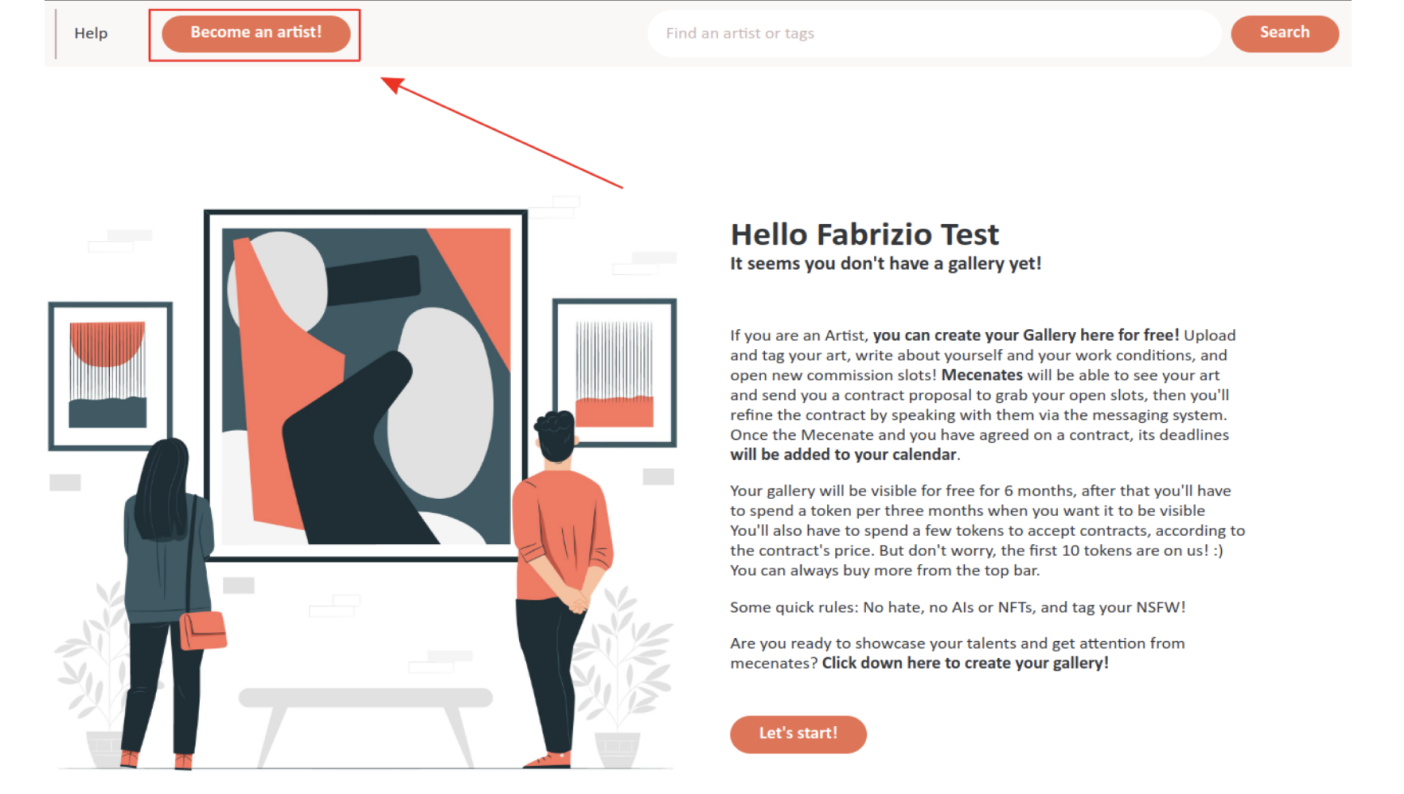
Read the message (and importantly the quick rules!) to get a quick primer on what being an artist means, then click on the “Let's start” button to start creating your gallery!
You will see the Gallery settings page:
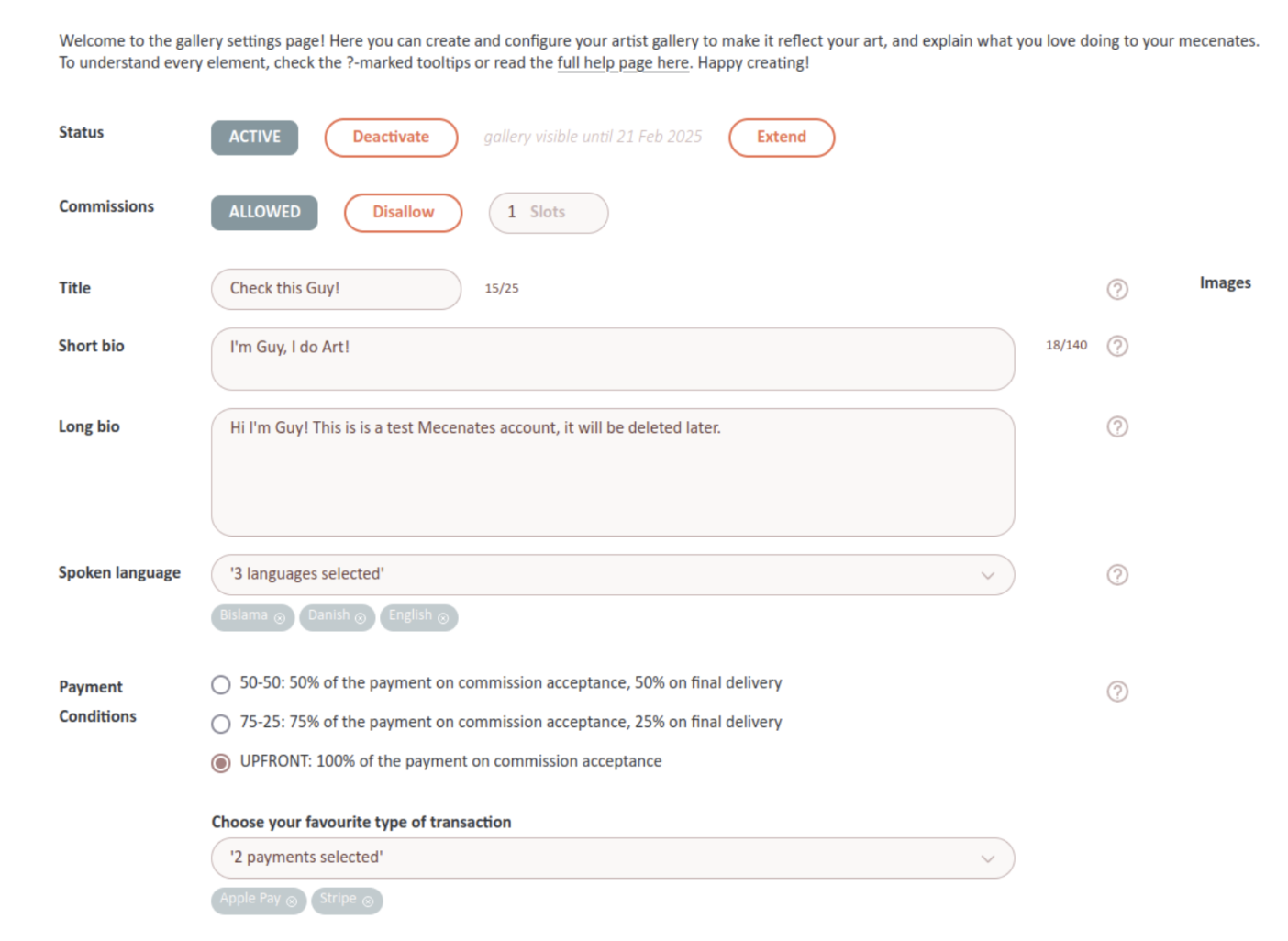
Here is what every field means:
Status
The status of your gallery. If your gallery is active, people will be able to see and interact with it, including sending you commission proposals. If it is deactivated, they won't. Your gallery has an expiry date, seen just right of the status. To prevent abandoned galleries from staying online forever and waste mecenates' time, galleries are deactivated after 3 months of their creation.
NOTE:You can extend this expiry date by clicking on the “Extend” button and paying 1 Denarius per 3 months of extension. See how to acquire Denarii here.
Commissions
This tells your users whether you are currently open for commission proposals. You can allow or disallow commissions as you want. You can choose between “Open to commissions”, “Waitlist Open”, and “Commissions closed”. Mecenates are able to filter artist searches based on your commission status.
NOTE:Mecenates who follow you will be notified when your commission availability increases (for example when you open your commissions), so they can be the first to propose you new commissions!
Title
This is the title of your gallery (up to 25 characters). It will be shown on the top of your gallery, close to your name and icon.
Short Bio
A short description (up to 140 characters, no line breaks) of who you are and what you do. It will be shown on the top of your gallery and in when you appear in search results in the home page.
Long Bio
A long description (no character limit but please be reasonable) of who you are, what you do, what you don't do, your work conditions, and so on. It will be shown prominently in your gallery. Use this field to explain everything that you want your mecenates to know before they commission you.
Spoken Languages
The languages you speak. This is useful so mecenates know which languages they should use to contact you. The corresponding flags will appear on the top of your gallery. If any language is missing or misrepresented, please let us know at [email protected].
Payment Conditions
Specify how you want payment to be received from mecenates after you accept a commission. We recommend to ask for at least 50% of the commission payment before you start working on the commission. Here you can also specify which kind of payment processors you accept, so your mecenates know how to pay you. If you want us to add a payment processor, let us know at [email protected].
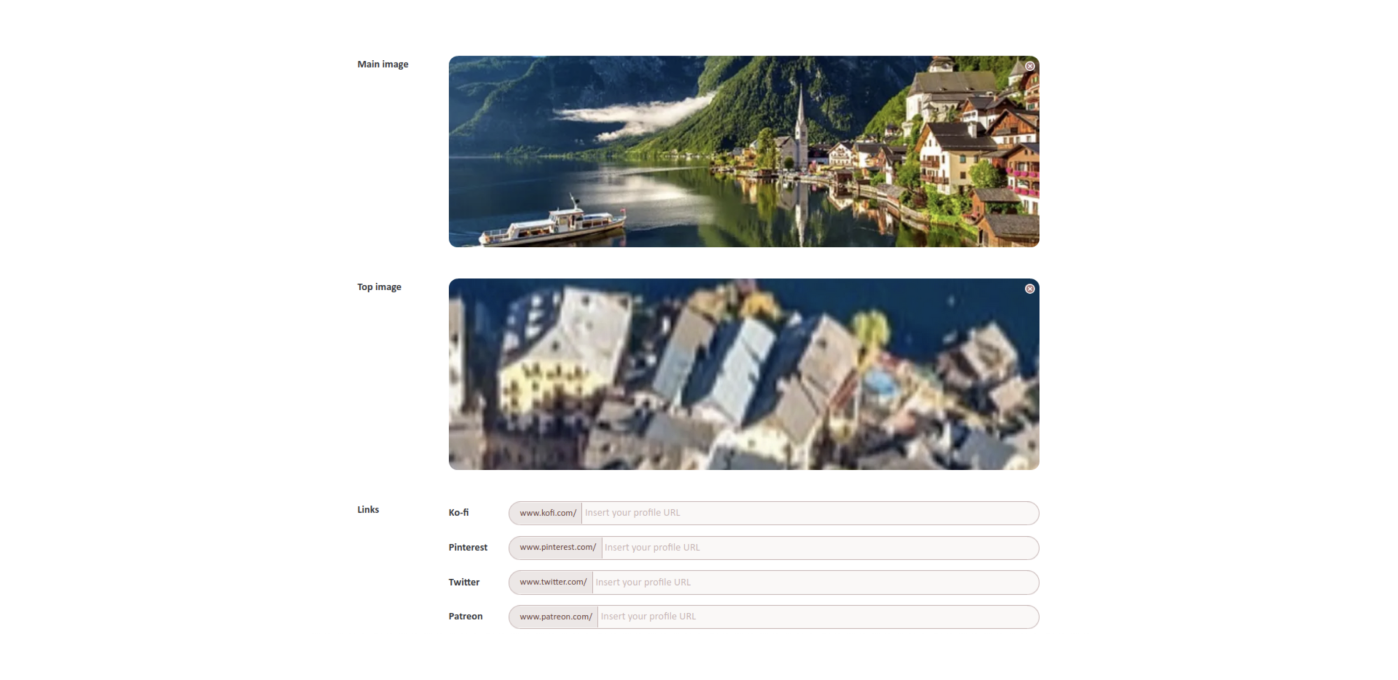
Main Image
This is a big image (best size: 1600x1080 px) that will appear very visibly in your gallery and in the search results in the home page. You can put a piece that is particularly representative of your art style, or one that you really love, or an explanation of your different commission types and their prices.
Top Banner
This is a very long image (best size: 3760x320 px) that will appear on the top of your gallery, to help you personalize the aesthetic feeling of your gallery.
Links
These are the other places where people can find you online. They will appear on your gallery under the “You can find me also on” tag. If you want us to add a link website, let us know at [email protected].
On the right of the settings page, there is a column with the following elements:
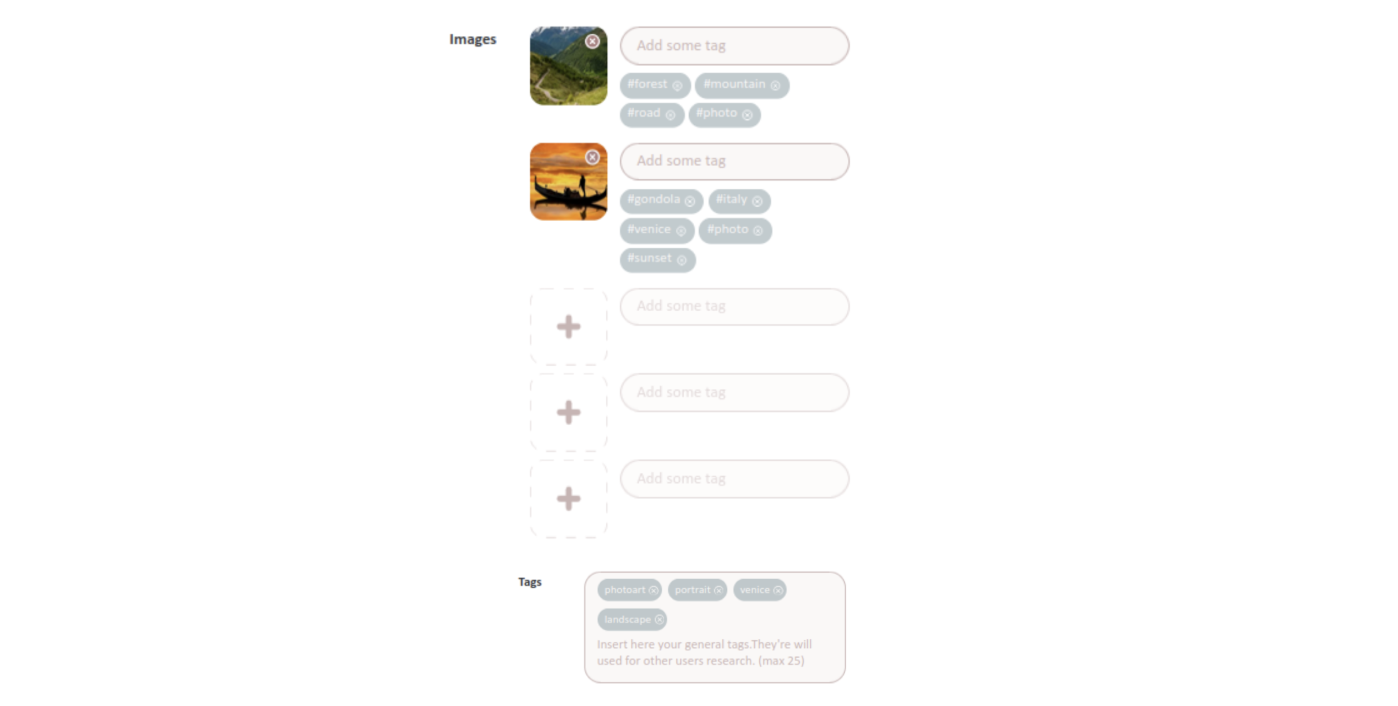
Images
Here you can add up to 9 other images showcasing your art. They will appear in your gallery and visitors will be able to zoom on them. For each image, you can add up to 5 tags describing the image. These will be also used to decide whether to show your page in user searches; see “Tags” below.
NOTE:Please remember to add the "NSFW" tag to your NSFW art!
Tags
You can write here up to 25 tags describing your art style and commission types (e.g. “fantasy”, “full body”, “book cover”, “architecture”, etc.). These tags, together with the tags on all your images (see above), will be used to decide whether to show your gallery in the search results in the homepage. So for instance if a user searches the tags “fantasy” and “architecture” and you have both in either your tags or your image tags, your gallery will appear in the search results, while if you don't have either of the tag anywhere, your gallery won't appear in the search results.
Finally, you can find the Terms checkbox at the bottom of the page. Check it to confirm that you have read and accept our terms and conditions, especially the parts concerning artists and galleries. You will have to do it before saving any changes to your gallery.
When you have uploaded your title, bios, tags, images, et cetera, and you are ready to open your gallery, click on the “Save changes” button on the bottom. You can always change your gallery from this page later.