

Join an Open Commission
Join an Open Commission
An open commission is a public brief: a mecenate describes an artwork they want to commission and waits for artists to apply. If you are chosen, a private commission between the two of you is created.
You find open commissions on the “Open Commissions” page in the main menu: a list of all published briefs, with title, tags, budget and dates. You can search and filter commissions by title and by tag.
If a commission interests you, click on “Apply” on its card: the creator will see your application and may choose you. You can withdraw your application at any time while the commission is open.
If a creator invites you, their commission appears at the top of the page, in the “Received invitations” section, with the “Accept and apply” and “Decline invitation” buttons. You can also open the commission to see its details before deciding.
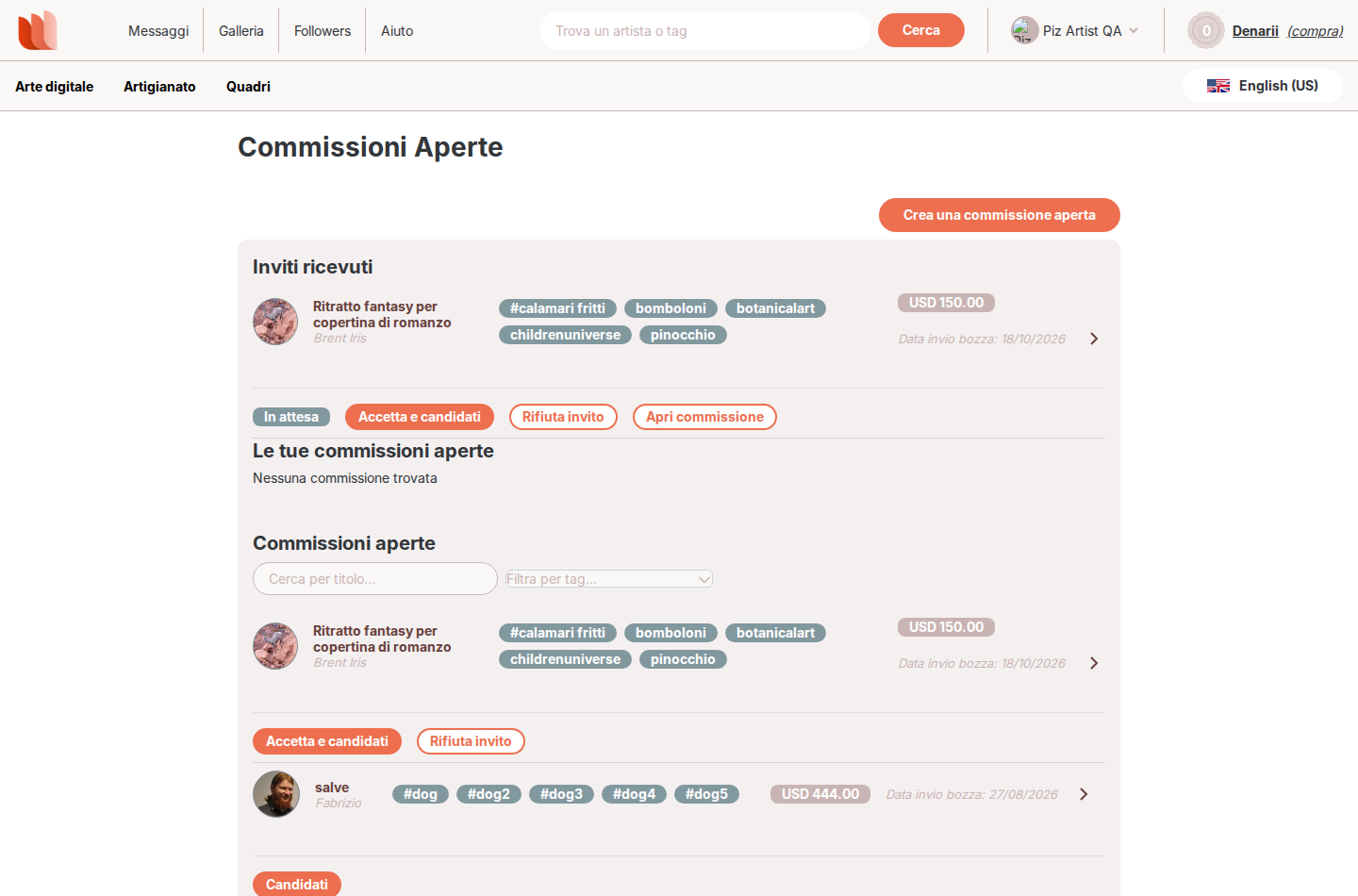
On the commission card you see your personal status: invited, applied, confirmed, declined, removed or withdrawn.
When the creator accepts you, the open commission closes and a private commission between the two of you is created: you find it in the Message Board, with the chat to discuss the details of the artwork.
If the creator accepts another artist, the open commission is closed and the other applicants are notified of the outcome.
You can choose to receive an email when you are invited to an open commission or when there are updates: this is the “I receive open commission invitations and updates” setting in the Notification Settings.