

Discuss & Accept Commissions
Discuss & Accept Commissions
Both messages and commissions will appear in your Message Board. To access the Message Board, click on the “Message Board” button on the left of the top bar:

In the Message Board there are three tabs: Messages, Commissions, and Blocked. Let’s analyse the commissions tab.
Commissions Tab
The Commissions tab includes all your commission-related conversations, whether active or archived.
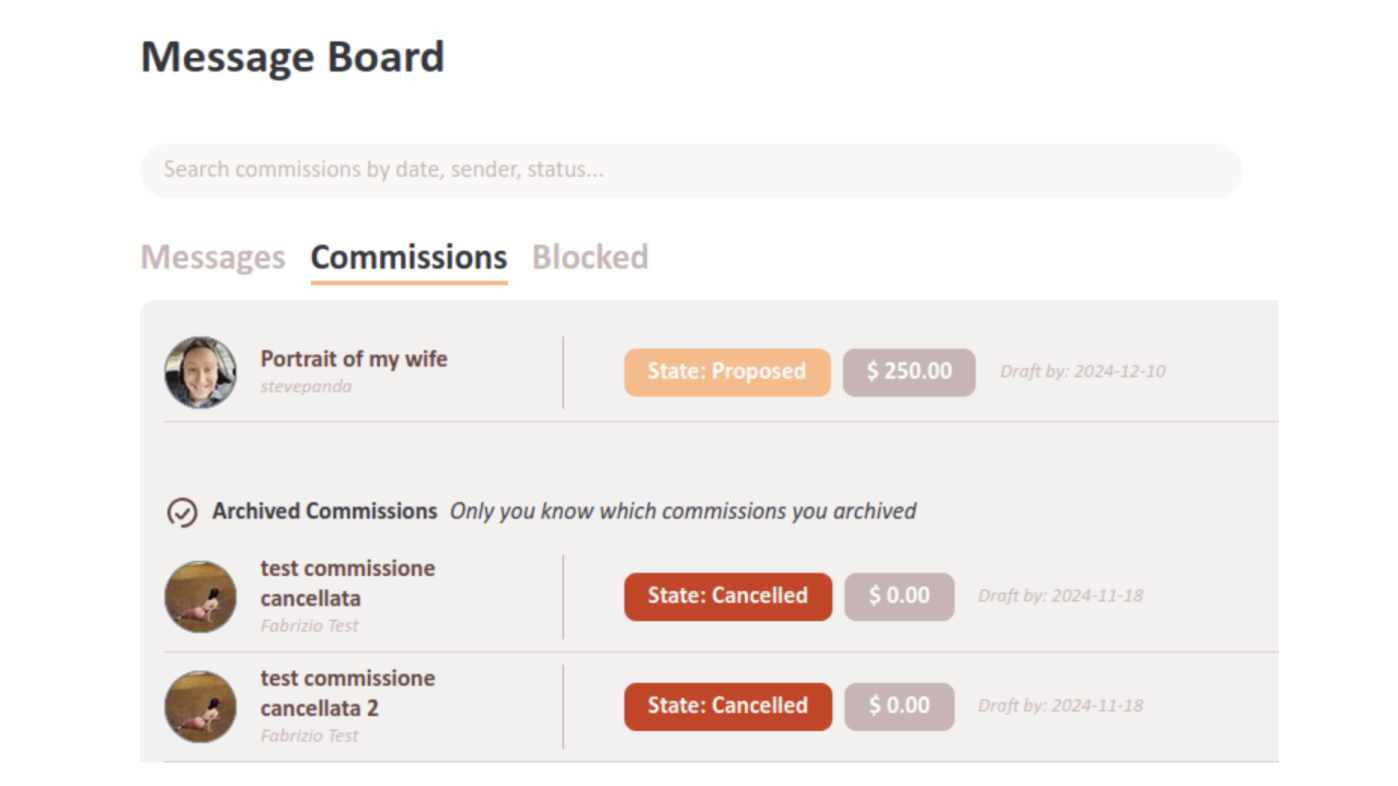
For each commission you can see the commission's title, state, cost, deadlines, and the other user involved (the artist if you are the mecenate for the commission, and vice versa).
Clicking on the row of a commission opens the commission conversation page:
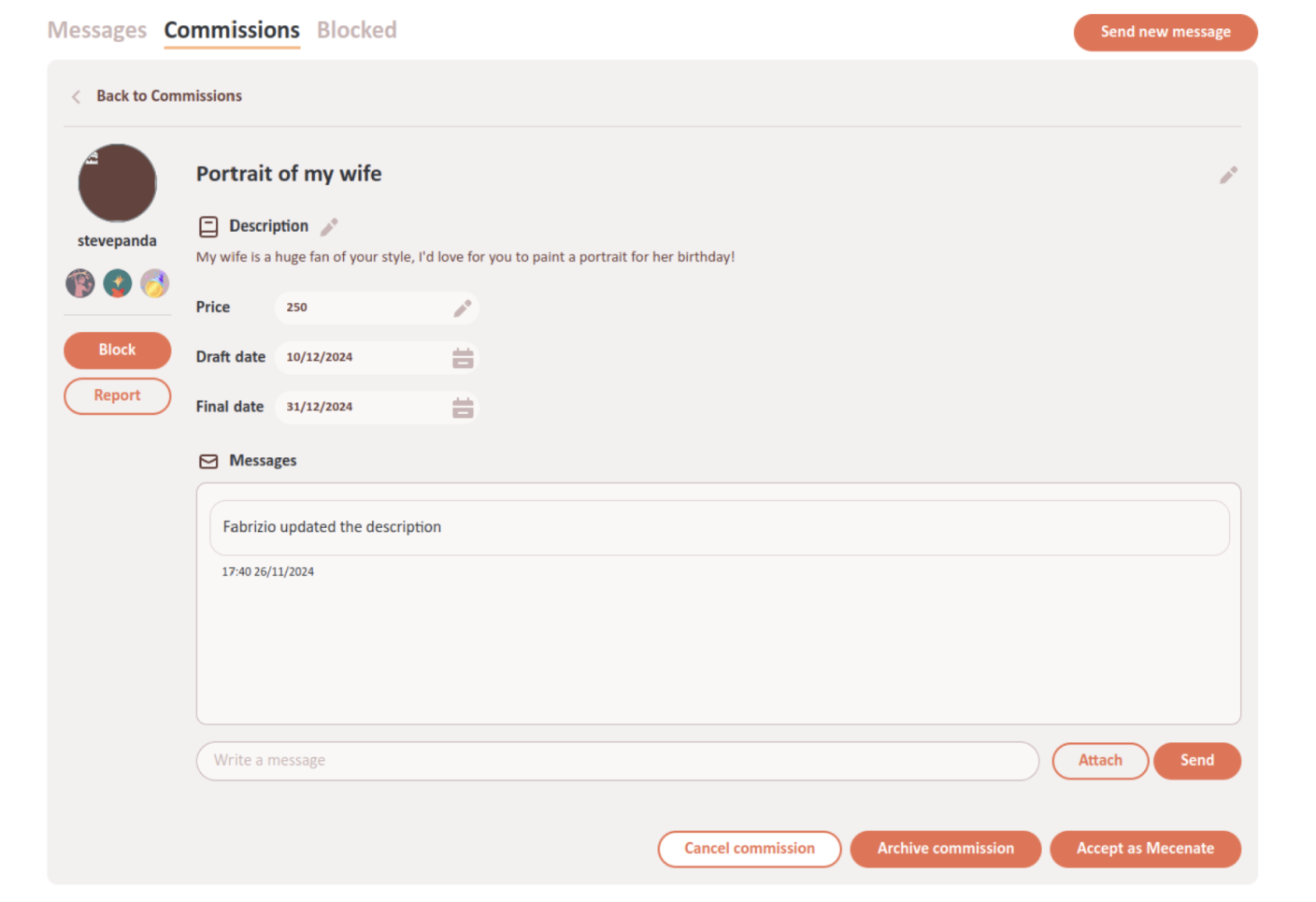
The commission conversation page has the same information and buttons than the normal conversation page, but it also has some fields on the top with the commission's Title, Description, Price, Draft date, and Final date.
Use this conversation to agree with the artist about all the details of the commission, so that they can create it exactly as you want it!
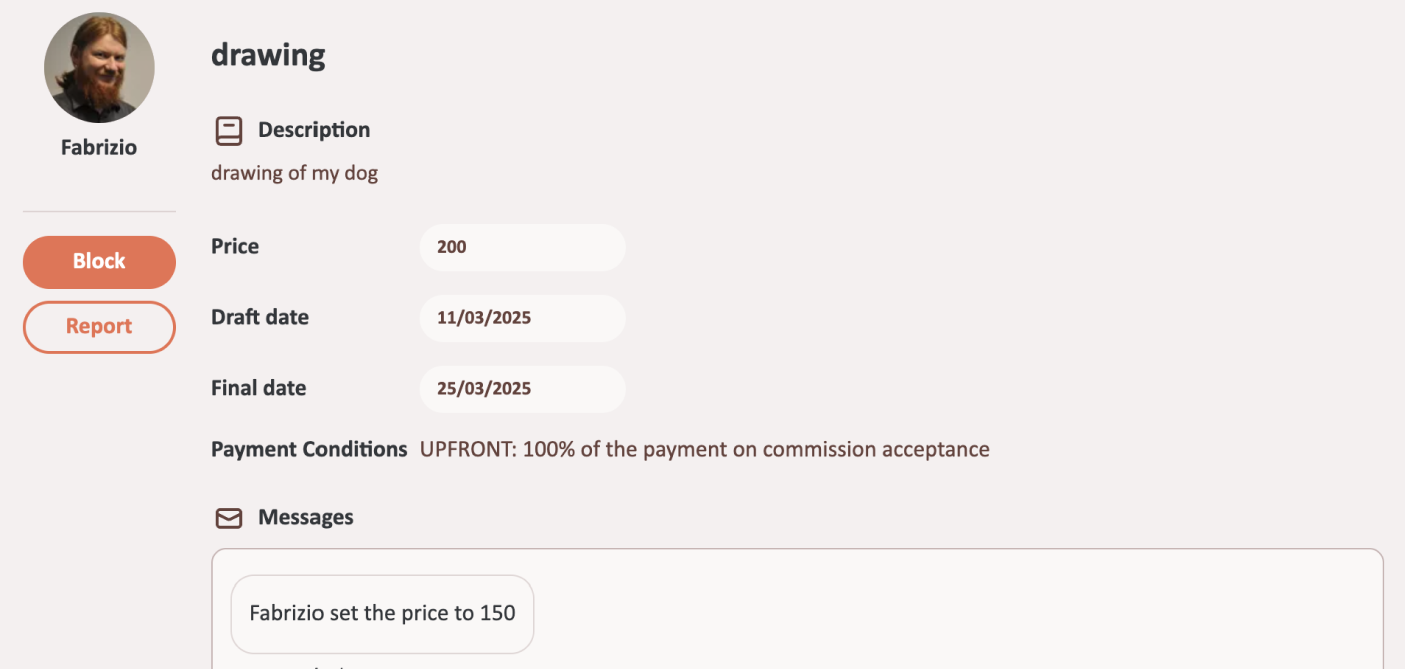
Both you and the artist are able to change the commission's details as long as the commission is not accepted by both of you. Every time someone does so, it will be recorded in the conversation with a special message:
You can also use the “Attach” button to attach images to the conversation, such as references that help the artist understand your commission.
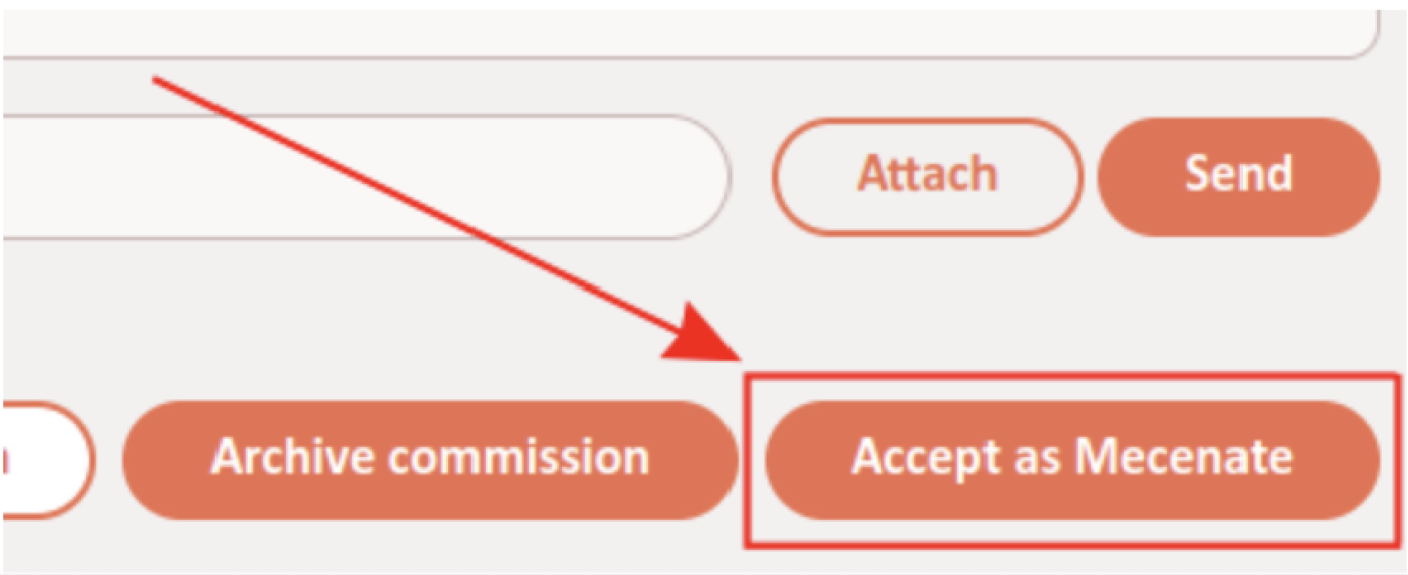
When you and the artist have agreed on all the details of the commission, you'll need to make it official by clicking on the “Accept as Mecenate” button on the bottom right.
A small window will open up summarizing the details of the commission so you can check them, and reminding you that after the commission is accepted you will be able to write a review for the commission on the artist's gallery.
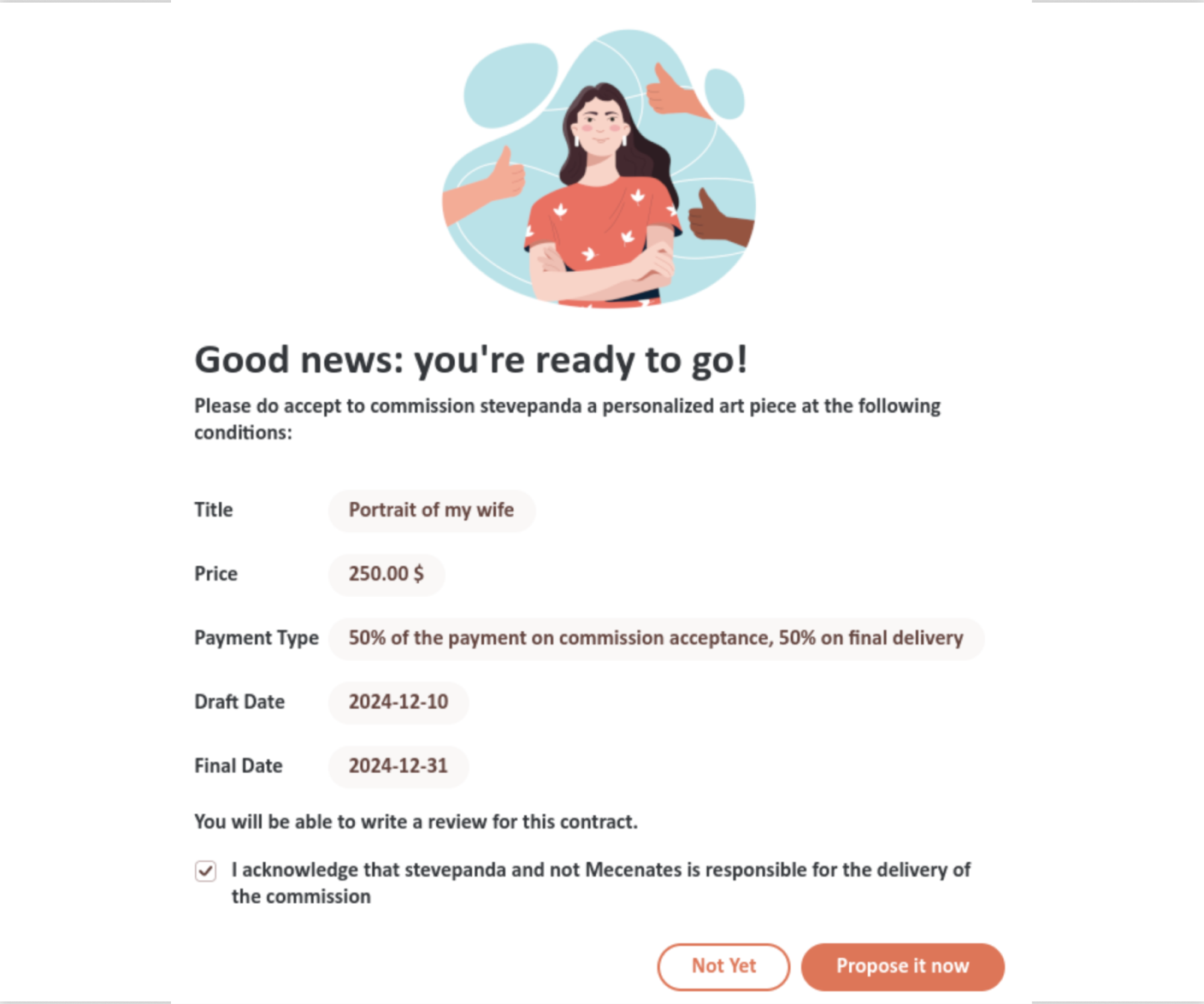
NOTE:Finally, there is a checkbox to confirm that you acknowledge that the artist, and not our website, is responsible for delivering the artwork! While we do our best to connect artists and mecenates and make sure they are professional and accountable, sadly we cannot guarantee that every commission will be delivered perfectly. If something goes wrong, feel free to write so in your review!
Now you are ready to make the commission official by clicking on the “Propose it now” button.
After you accept the commission, the artist will have to do the same on their part. Until they do so, you will have a “Revoke acceptance as Mecenate” button on the bottom right of the commission conversation that allows you to revoke the commission (meaning you can still change details and will have to accept it again). Also, if you or the artist changes any of the commission details before the artist accepts the commission, the commission will be automatically revoked and you will have to accept it again.
If the artist agrees to do the commission but forgets to accept it on their side, remind them, otherwise the commission will not count towards their artwork count and you will not be able towrite a review for it!
If you accept the commission and the artist then accepts it without it being revoked, congratulations! Your commission is finalized, and the artist will get to work!
When the commission is completed you can also archive it to help you track with commissions are open and which are done.
After a commission is accepted, you can also leave a review for it to speak about your experience and rate the artist. The review will appear on the artist's gallery.