

Commission Status
Commission Status
Your commission status tells mecenates whether you are currently available for new commissions. You can set it in the Gallery Settings page, choosing among three options: “Open to commissions” (mecenates will be able to send you commission proposals), “Waitlist Open” (mecenates will be able to send you proposals, but they will see a warning that you will not start working on them right now), and “Commissions closed” (mecenates will not be able to send you proposals).
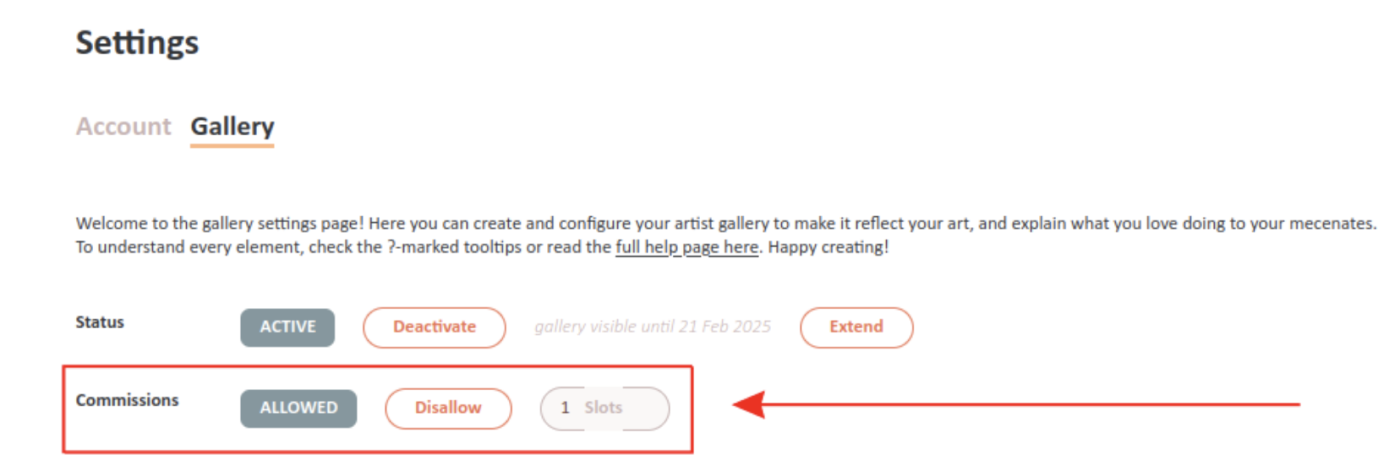
You can change your commission status at any time from the Gallery Settings page, by clicking on the option you want.
Note that your followers with notifications enabled will be notified when your commission availability increases (for example when you switch from “Commissions closed” to “Open to commissions” or “Waitlist Open”), so be mindful not to spam them.
Also note that mecenates looking for artists in the home page search can filter results by commission status, for example to see only artists that are open to commissions or on the waitlist.
When you accept a commission as an artist, you can check the “Close Commissions” box in the acceptance dialog to set your commission status to “Commissions closed” while you work on it.