

Create an Open Commission
Create an Open Commission
An open commission is a public brief: you describe the artwork you want, with your budget and your dates, and wait for artists to apply — or you invite them yourself. Unlike a regular commission proposal, which you send to a single artist, an open commission is visible to all artists, who can apply. The commission stays pending until you accept one artist: at that point a private commission between the two of you is created.
You can create and manage your open commissions from the “Open Commissions” page, which you find in the main menu. The page lists all published open commissions; yours are recognizable and, by clicking on them, you can manage them.
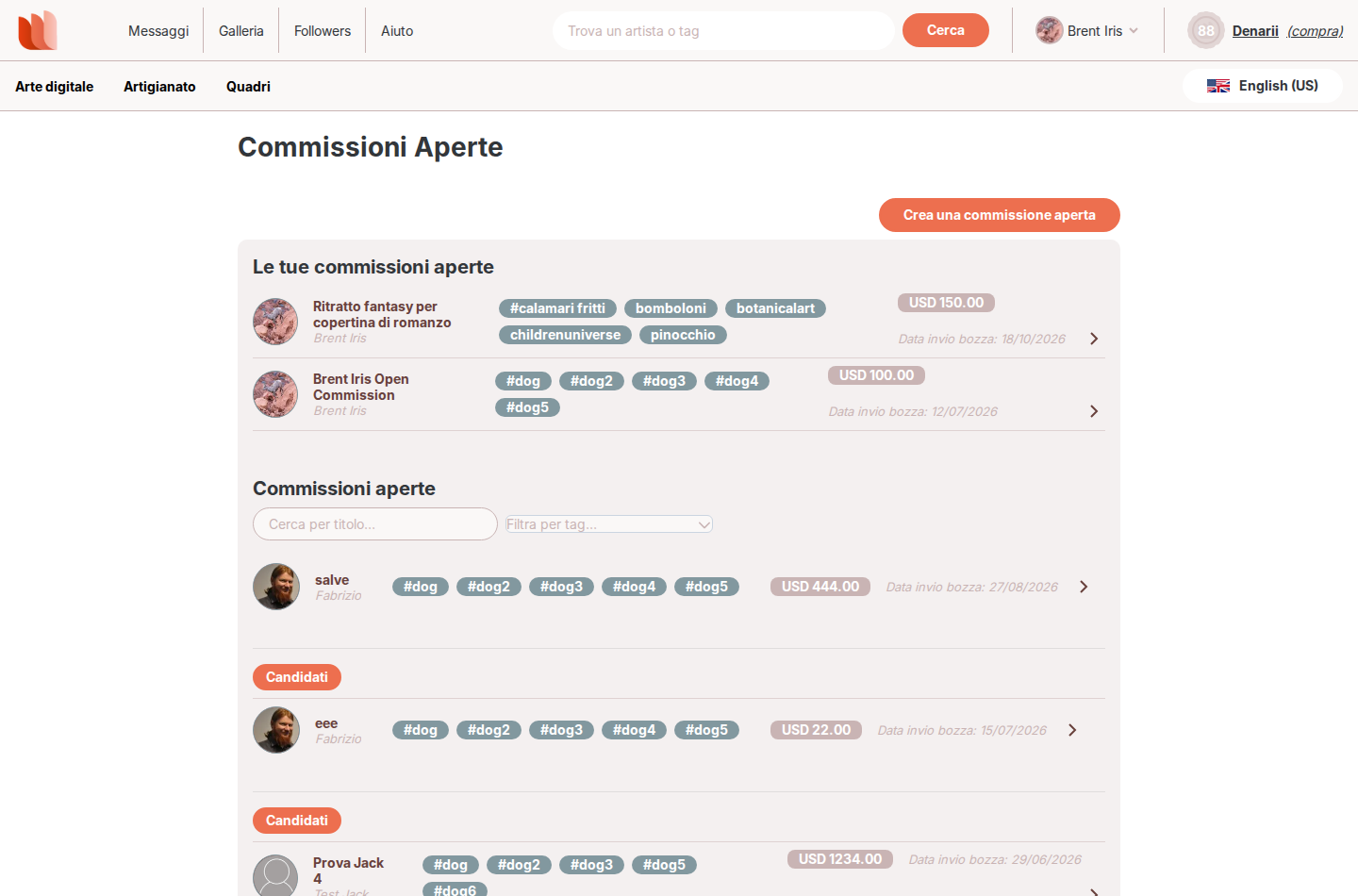
To create one, click on “Create an open commission” at the top of the page:
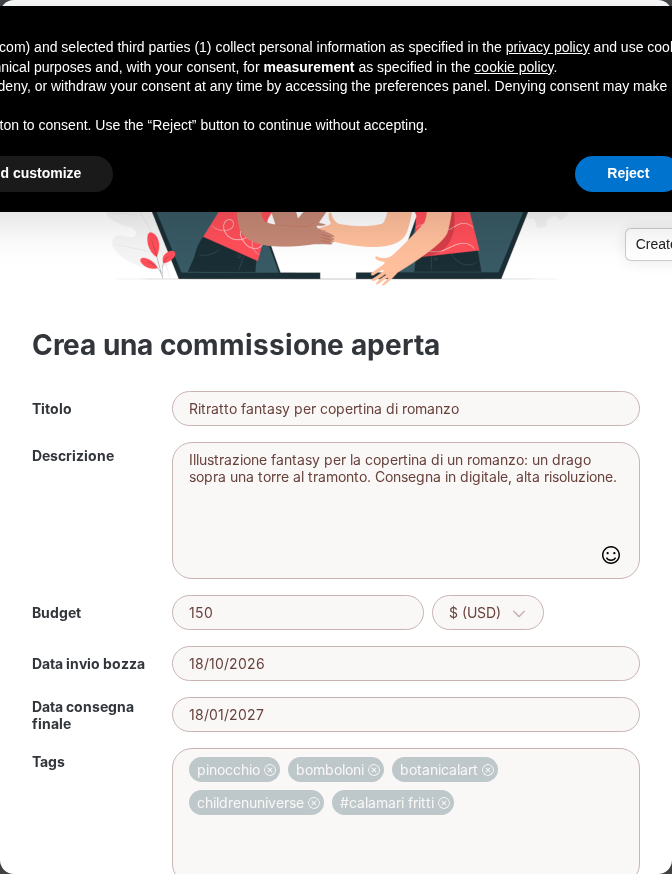
A window opens where you fill in the commission brief:
Title
A clear title for the artwork you want to commission.
Description
Describe the artwork you have in mind: subject, style, format, anything that can help artists understand what you are looking for. The more details, the easier it is to receive relevant applications.
Budget and currency
Enter how much you are willing to spend and the currency (currently USD).
Draft date
By when you want to see a first draft or preview of the artwork, to check that the direction is right.
Final delivery date
By when the artwork must be completed and delivered.
At least 5 tags
Tags help the right artists find your commission: at least 5 tags are required.
Reference images (optional)
You can attach up to 5 reference images, for example examples of style or composition.
Terms
Tick the checkbox to confirm that you have read and accept the terms before publishing.
Click the button to publish the commission: it will appear in the list as pending until you accept an artist.
You can also invite artists: the page suggests artists matching the tags of your commission, or you can search them by name. The invited artist receives a notification, and possibly an email (see the Notification Settings article), and can accept the invitation by applying to the commission.
On your commission page you see the artists who applied and the ones you invited, with their status: pending, confirmed, declined or removed. You can remove an artist from the list at any time while the commission is open.
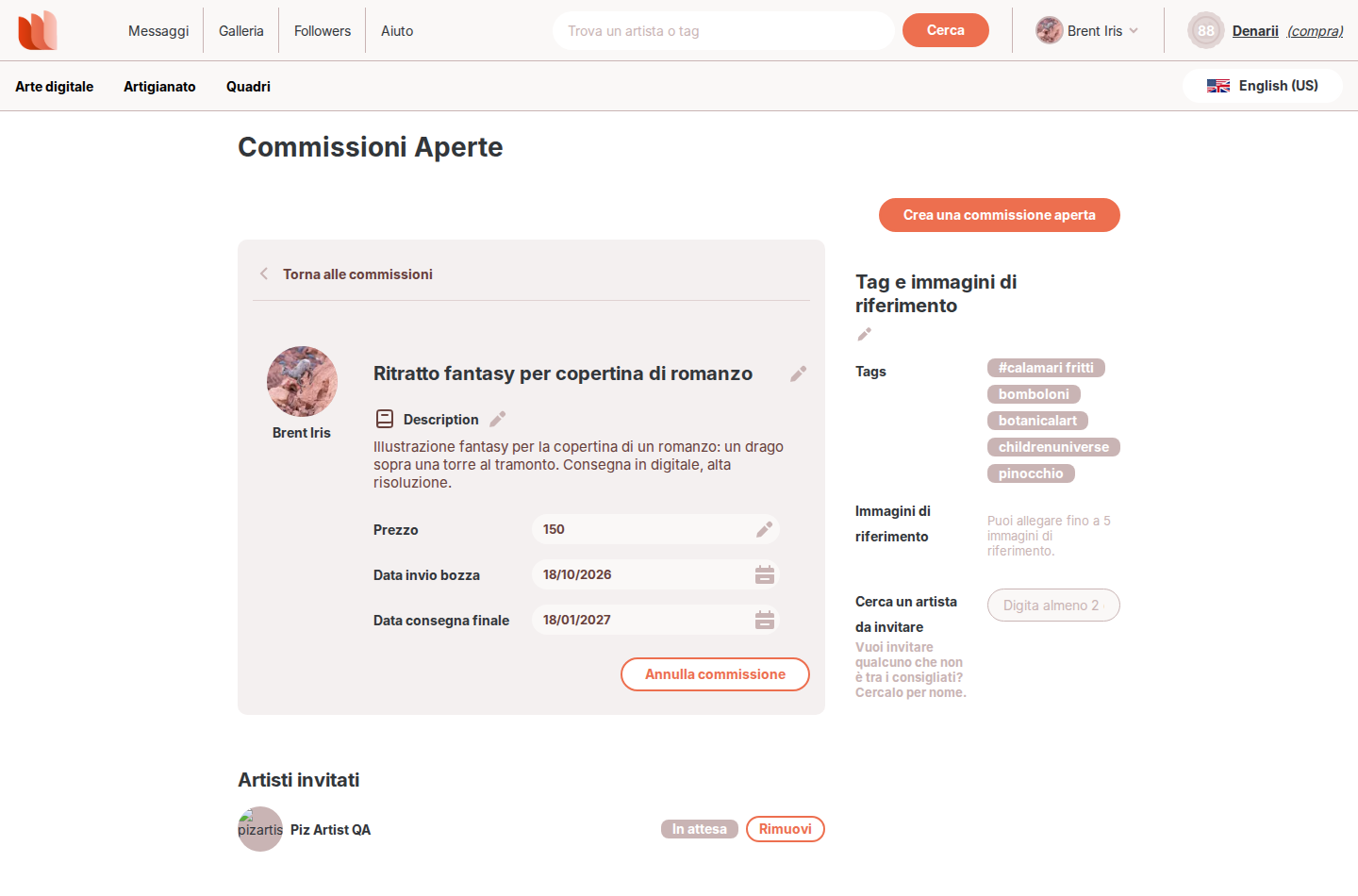
When you are ready, accept one artist: a private commission between the two of you is created, with its own chat to discuss the details. The other applicants are notified of the outcome.
While the commission is open you can edit its title, description, budget and dates, and you can cancel it. Once you accept an artist, the open commission is closed and can no longer be managed as such.
You can choose to receive an email when an artist you invited answers your invitation: this is the “My open commission invitation is answered” setting in the Notification Settings.